
 OneDrive + SharePoint + OneNote
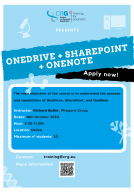
OneDrive + SharePoint + OneNote
Objectives:
- Understand the purpose and capabilities of OneDrive, SharePoint, and OneNote.
- Learn how to share files with external users securely.
- Identify the differences between collaborative work and sending files.
- Gain a basic understanding of OneNote.
Topics that are going to be addressed:
1. Introduction to Cloud Storage and Collaboration (15 min)
- Brief overview of cloud storage solutions.
- Benefits of using OneDrive and SharePoint for file storage and sharing.
2. OneDrive (20 min)
- Overview of OneDrive interface and features.
- How to upload, organise, and access files.
- Sharing files and folders with internal and external users.
- Managing permissions.
3. SharePoint (35 min)
- Introduction to SharePoint Sites.
- Document libraries: Creating, uploading, and organising documents.
- Collaborating on documents in real-time.
- Setting up alerts and version control.
- Difference between OneDrive and SharePoint in team collaboration.
4. Collaborative Work vs. Sending Files (20 min)
- Benefits and drawbacks of collaborative work.
- Best practices for collaboration (co-authoring, comments, versioning).
5. Introduction to OneNote (20 min)
- OneNote interface overview.
- Creating and organising notebooks, sections, and pages.
- Basic note-taking features: text, multimedia, tags.
- Sharing and collaborating on notes.
Instructional Strategy
- Hands-On Activities: Real-time practice with file sharing and collaboration features.
- Live Demonstrations: Showing the use of OneDrive and SharePoint interfaces.
- Q&A Sessions: Addressing specific participant questions.
- Group Exercises: Collaborative note-taking in OneNote.
Dates and hour: 16th October 2024 (9:30-11:30h)
Instructor: Richard Butler, Pitagora Group
Location: Online
Maximum number of participants: 30
Application deadline: 9th October 2024
Registration HERE
Training financiado por Ayuda:CEX2020-001049-S financiada por MCIN/ AEI / 10.13039/501100011033